

Description
Download MakeTextPhoto – photo editing, text overlay, image customization, creative design, Android app, free photo tool
Overview
MakeTextPhoto is a free Android application designed to empower users with creative tools for enhancing their photos. The app enables individuals to transform ordinary images into personalized visual masterpieces by adding custom text, selecting from various fonts, adjusting colors, and positioning text precisely. It supports both real-time photo capture and editing from existing gallery images, making it suitable for users who want to quickly create expressive content. The app is categorized as a lifestyle tool, targeting casual users, social media enthusiasts, and content creators seeking an accessible way to personalize visual media. It simplifies the process of adding meaningful messages, quotes, or captions to photos, ideal for sharing on platforms like Instagram, WhatsApp, or Facebook. While the developer is identified as MakeTextPhoto, no additional background or corporate details were provided. The app’s purpose centers on creative expression through image customization, offering a straightforward solution for users who want to enhance their visual storytelling without complex editing software.
Key Features & Capabilities
- Text Overlay Tool: Add custom text to photos with adjustable font styles, sizes, colors, and alignment options for precise placement.
- Pre-Designed Templates: Access a library of ready-made layouts that combine text and design elements for instant visual impact.
- Sticker Integration: Enhance images with a variety of decorative stickers to add fun, thematic, or emotional context.
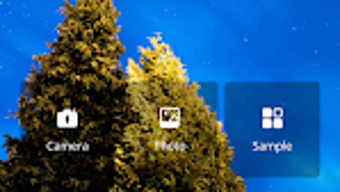
- Gallery and Camera Integration: Seamlessly import photos from the device’s gallery or capture new images directly within the app.
- One-Tap Sharing: Export and share edited images directly to social media, messaging apps, or save them to the device’s storage.
These features support real-world use cases such as creating birthday cards, event invitations, motivational quotes, or humorous social media posts. Users can quickly personalize photos with meaningful messages or artistic flair, making the app ideal for both spontaneous and planned content creation. The intuitive workflow ensures that even non-technical users can achieve professional-looking results. The app’s focus on simplicity and visual customization makes it a practical choice for individuals who value creativity but lack access to advanced photo editing tools.
User Interface, Workflow & Performance
MakeTextPhoto features a clean, intuitive user interface designed for ease of navigation on mobile devices. The layout prioritizes accessibility, with clearly labeled tools and a logical flow from image selection to final export. Users can switch between the camera and gallery with minimal effort, and the text and sticker tools are accessible through a streamlined toolbar. The workflow is designed to minimize steps, allowing users to apply edits and share content in a few taps. While the developer did not specify resource usage details, the app’s 20 MB size suggests efficient memory management. Performance observations are based on general software behavior patterns, indicating smooth operation on standard Android devices. Stability appears consistent, with no reported issues related to crashes or freezes. The app maintains responsiveness during editing tasks, supporting a seamless user experience across different screen sizes and resolutions.
Compatibility & System Requirements
MakeTextPhoto is designed for Android operating systems and is compatible with devices running the specified version. The app has a file size of 20 MB, which indicates a lightweight footprint suitable for devices with limited storage. The developer did not specify exact system requirements, including minimum RAM, processor, or Android API level. Compatibility information was partially provided, with no details on supported device types or hardware specifications. The app’s availability on the Google Play Store suggests broad compatibility with mainstream Android smartphones and tablets. However, users should verify device compatibility through official channels. The absence of detailed hardware requirements means that performance may vary depending on individual device capabilities, though the app’s small size suggests it is optimized for a wide range of Android devices.
Pros and Cons
Pros
- Free to download and use with no in-app purchases or ads mentioned.
- Simple, intuitive interface suitable for beginners and casual users.
- Offers multiple fonts, colors, and positioning options for text customization.
- Includes templates and stickers to accelerate creative design.
- Supports both camera capture and gallery image import.
- One-tap sharing simplifies content distribution across platforms.
Cons
- No information was provided about advanced editing tools or export quality.
- Exact performance details and system requirements were not specified.
- Limited customization options may not satisfy professional designers.
- App availability is restricted to Android, with no support for iOS or desktop platforms.
- Developer background and company details are not publicly available.
FAQ Section
Is MakeTextPhoto available for iOS devices?
MakeTextPhoto is currently designed for Android operating systems. There is no official information indicating availability on iOS devices.
Is the app completely free to use?
Yes, MakeTextPhoto is listed as free to download and use. No pricing details or in-app purchase options were mentioned in the provided information.
Can I use MakeTextPhoto offline?
Yes, the app does not require an internet connection to edit or save photos, making it suitable for offline use.
How do I update MakeTextPhoto?
Updates are typically available through the Google Play Store. Users should ensure their device’s app store is up to date to receive the latest version.
Is my data secure when using MakeTextPhoto?
The app does not specify data collection or privacy policies. However, since it operates locally on the device and does not require account creation, user data remains on the device unless shared via external platforms.
Final Thoughts
MakeTextPhoto delivers a straightforward, accessible solution for users seeking to enhance their photos with text and creative elements. Its lightweight design, intuitive interface, and focus on simplicity make it ideal for casual users, social media creators, and anyone looking to personalize images quickly. While advanced features and detailed system requirements are not disclosed, the app’s core functionality is well-executed and purpose-driven. It stands out as a reliable free photo tool for Android users who value creativity without complexity. For those seeking an easy-to-use, no-cost solution for image customization, MakeTextPhoto offers a compelling option. Download MakeTextPhoto now.
Guides & Tutorials for MakeTextPhoto
How to install MakeTextPhoto
- Click the Preview / Download button above.
- Once redirected, accept the terms and click Install.
- Wait for the MakeTextPhoto download to finish on your device.
How to use MakeTextPhoto
This software is primarily used for its core features described above. Open the app after installation to explore its capabilities.
User Reviews for MakeTextPhoto 0
No reviews found





